Café software for Nepal
Café software with a QR menu, live orders and billing
Guests order from a QR code on the table, your counter hears every order, and the bill keeps itself. ServeFlow is café billing software that runs on Android phones and any browser.
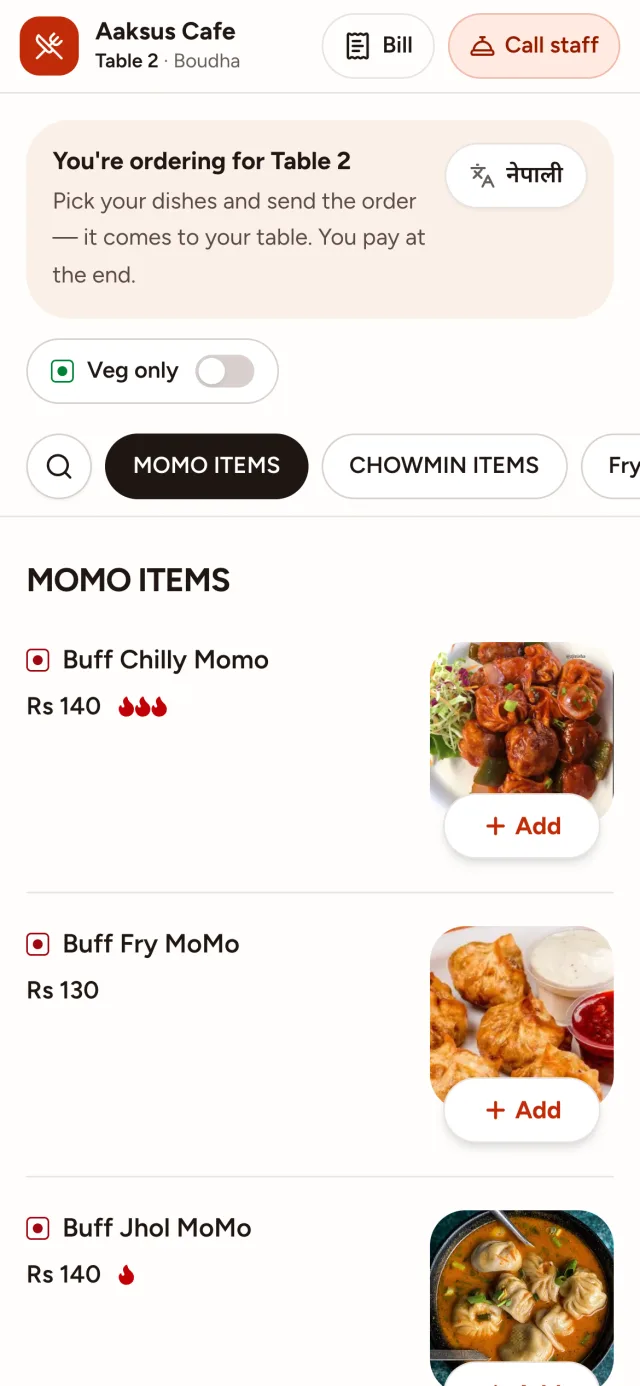
- A QR menu with photos, in English and नेपाली
- Orders read out at the counter
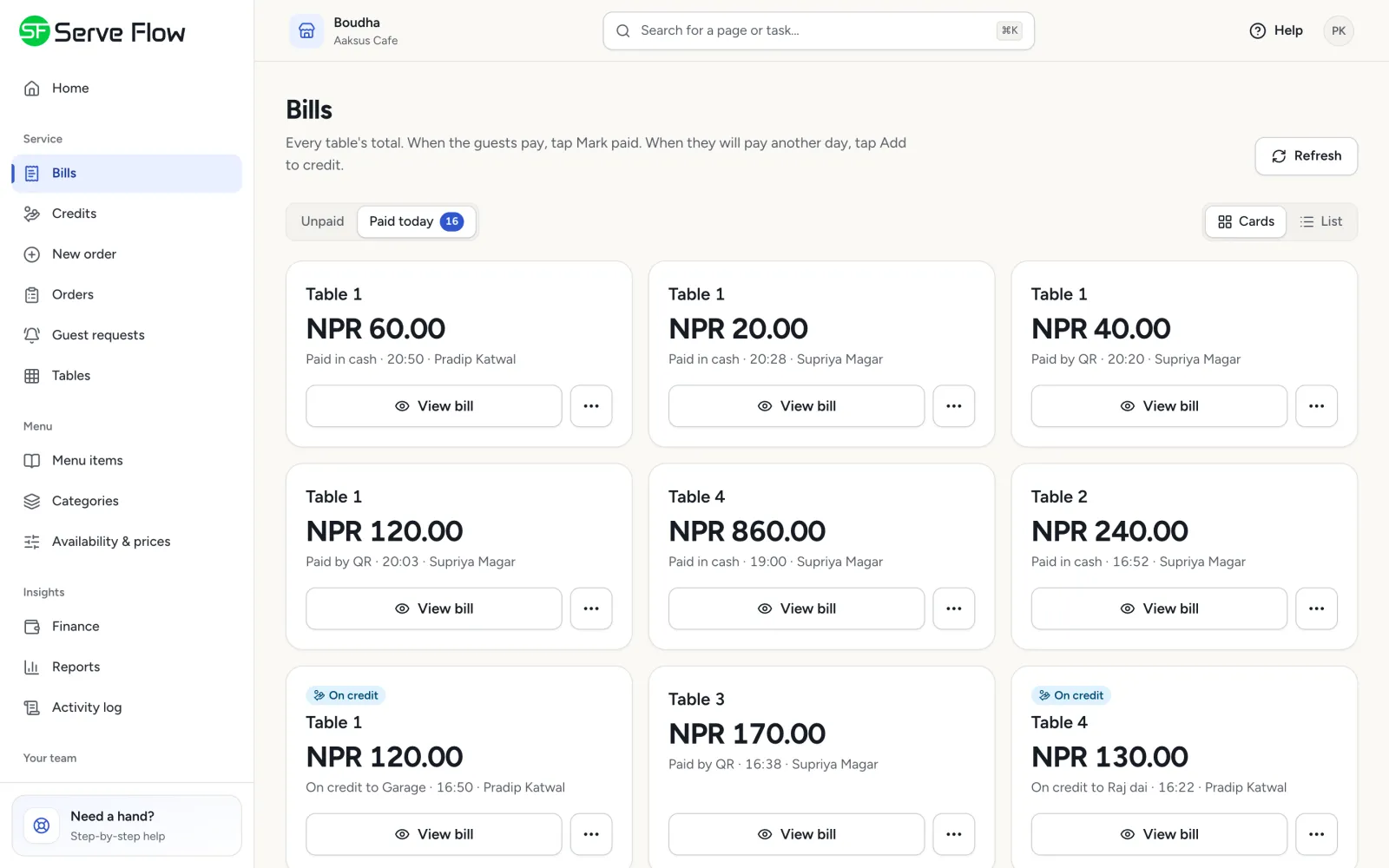
- Bills split by phone, paid by cash or QR
Sound familiar?
Guests queue at the counter just to order a second coffee.
In the rush, one cold coffee is made twice and a sandwich not at all.
Friends ask to split the bill, and someone does it on a calculator.
A regular's tab lives in a notebook behind the counter.
ServeFlow fixes each of these.
Built for the way cafés work
From the first coffee to the last slice of cake, every order goes to the counter and onto the right bill.
- Guest menu
A QR menu that sells
Photos, sizes, extras and search, on the guest's own phone. A second round is one tap away, without leaving the sofa.
More about the QR menu - Kitchen app
Orders heard at the counter
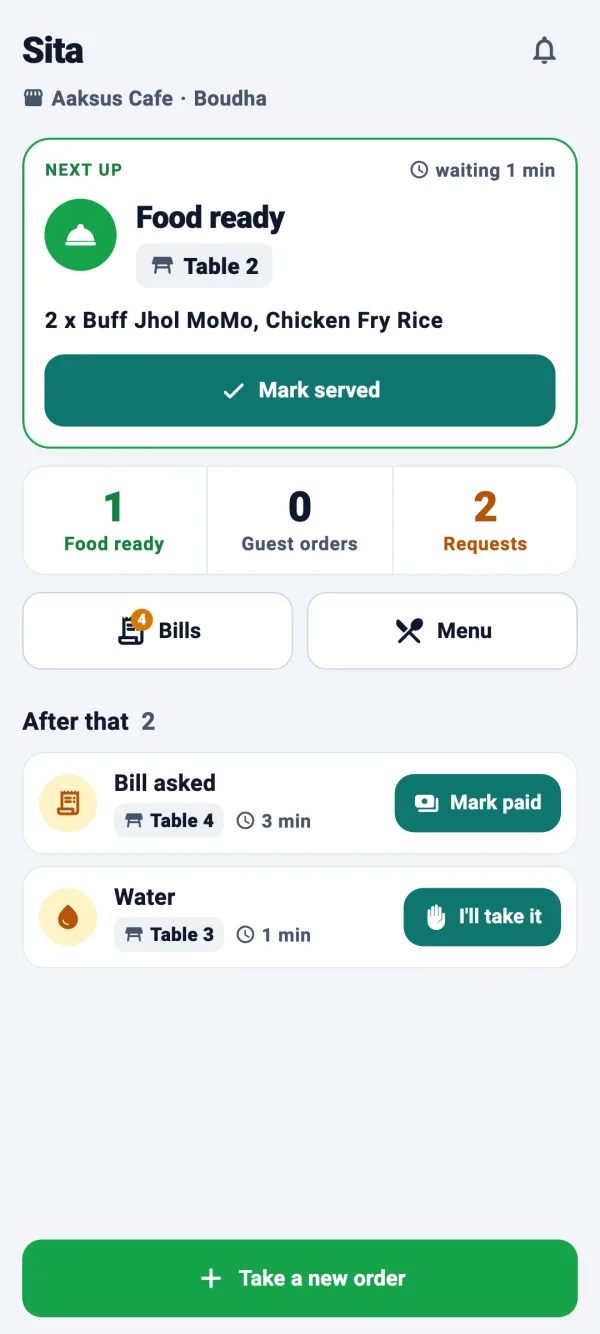
Every order appears on the counter's screen and is read out with the dish names. Drinks and food can go to different counters.
More about the KOT system - Guest menu
Changed their mind? That's fine
Guests can change or cancel an order until the counter starts on it, and the counter is told.
- Business dashboard
Split the bill by phone
Friends who ordered from their own phones each get their own total, so nobody does sums at the table.
- Business dashboard
A credit book for regulars
Put a regular's bill on credit (udharo), see who owes what, and settle it later.
- Business dashboard
Know your best sellers
See which drinks and dishes sell, and your busiest hours, so you know when to put more people on.
An afternoon at the café
- 1
Scan and sit back
A group at the window table scans the QR code and orders two lattes and a club sandwich.
- 2
The counter hears it
The order is read out on the counter's screen. The coffee and the sandwich each go to whoever makes them.
- 3
Another round
Half an hour later they order brownies from the same phone, and they join the same bill.
- 4
Split and paid
At the counter the bill splits by phone. One friend pays by QR, the other in cash, and the table is free.
Questions owners ask
Is ServeFlow right for a small café?
Yes. A small café can start with one Android phone or tablet at the counter. Guests order from their own phones, and you see the day's sales from any browser.
Do guests have to order from their phones?
No. Your staff can take orders in the Staff app, and guests can order from the QR code when they like. Both go to the same counter and the same bill.
Can the menu show sizes and extras?
Yes. Give a drink sizes such as small and large, or a dish half and full plates, and add extras, each with its own price.
Can I take take-away orders too?
Yes. Share one take-away link on Instagram, Facebook or Viber, and customers order for pickup or delivery from the same menu.
How much does café billing software cost?
It depends on how many branches, tables and staff you have. Request a demo and we'll give you a price for your café.
What you need
No special hardware and no installation visit.
Guests
Their own phone with a camera
Waiters and cashiers
An Android phone
Kitchen and bar
An Android phone or tablet
You
Any browser, on a laptop, tablet or phone
And an internet connection: Wi-Fi or mobile data. Weak signal? A tap never places the same order twice.
Up and running in four steps
- 1
We set up your business
Tell us your branches, tables and rooms on the demo call, and we create your account.
- 2
Add your menu
Dishes, prices and photos. Paste a photo straight in.
- 3
Print your QR codes
Ready-made cards for every table and room, from the dashboard.
- 4
Invite your team
Each person gets an email with a code, installs the app and joins.
ServeFlow across Nepal
We set up restaurants, cafés and hotels anywhere in Nepal over a call. See how ServeFlow fits your city.
- BhaktapurBhaktapur · Bagmati Province
- BiratnagarMorang · Koshi Province
- ButwalRupandehi · Lumbini Province
- ChitwanChitwan · Bagmati Province
- DharanSunsari · Koshi Province
- ItahariSunsari · Koshi Province
- JanakpurDhanusha · Madhesh Province
- JhapaJhapa · Koshi Province
- KathmanduKathmandu · Bagmati Province
- LalitpurLalitpur · Bagmati Province
- LumbiniRupandehi · Lumbini Province
- PokharaKaski · Gandaki Province
ServeFlow is also for
- RestaurantsQR ordering, a kitchen order screen and billing for dine-in.
- HotelsRoom service, housekeeping requests and the hotel restaurant in one system.
- Bars & pubsDrinks to the bar's own screen, and every round on the table's bill.
- Resorts & homestaysFood and room service from a QR code in every room, cottage or garden table.
- Cloud kitchens & take-awayYour own ordering link for pickup and delivery, heard in the kitchen.
Request a demo
Tell us a little about your business. We'll call you back to find a time, then walk you through every screen and answer your questions.
What happens next
- 1
We call you back
To find a time that suits you.
- 2
A free demo
Every screen, for guests, waiters, the kitchen and you.
- 3
We set you up
If you like it, we create your account and help you add your menu.