Hotel software for Nepal
Hotel software for room service, the restaurant and every bill
Put a QR code in every room. Guests order food or ask for towels and water from their own phone, your team hears it at once, and the hotel restaurant runs in the same system.
- Room Service and food orders from a QR code
- Requests spoken on staff phones
- Roles for reception and housekeeping
Sound familiar?
A guest calls reception for towels, and the message never reaches housekeeping.
Room service orders are taken by phone and written on scraps of paper.
The restaurant and the rooms keep separate notebooks.
Nobody can say how long a guest waited for what they asked for.
ServeFlow fixes each of these.
One system for the rooms and the restaurant
Every request and every order reaches the right person, and every one of them is on record.
- Guest menu
A QR code in every room
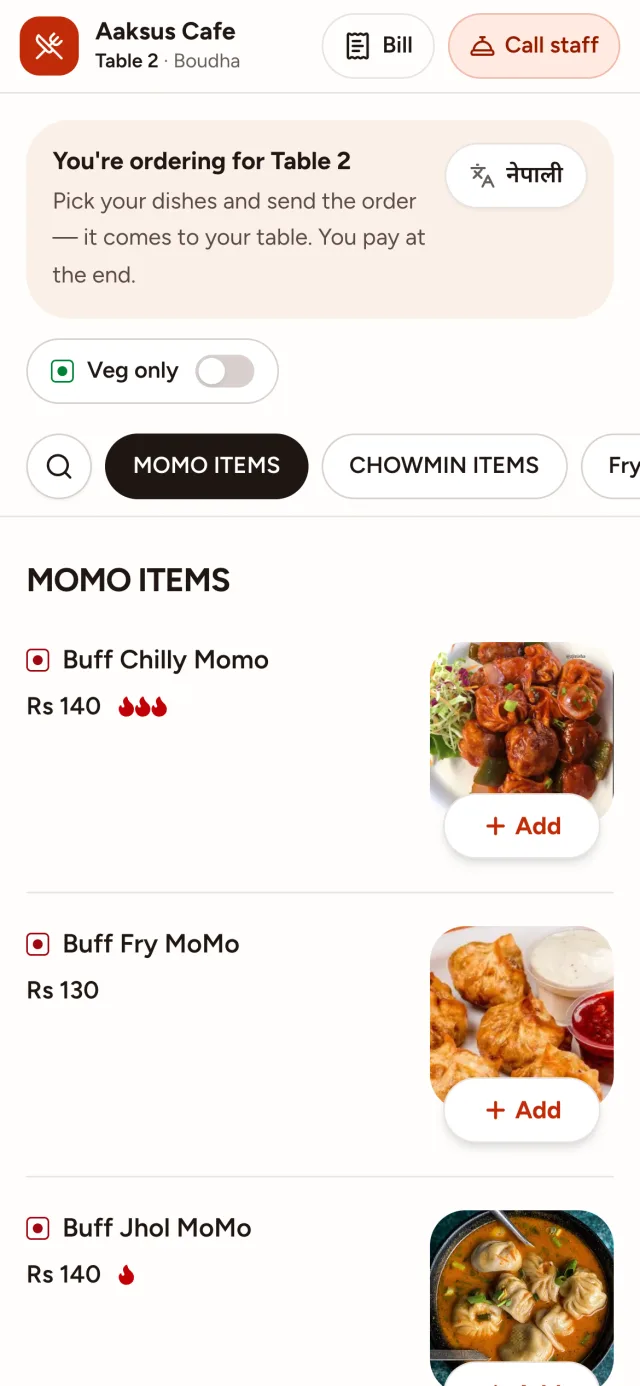
Guests scan it and choose Room Service, for housekeeping, towels or water, or Food Order, to eat in the room.
More about the QR menu - Staff app
Requests that reach the right person
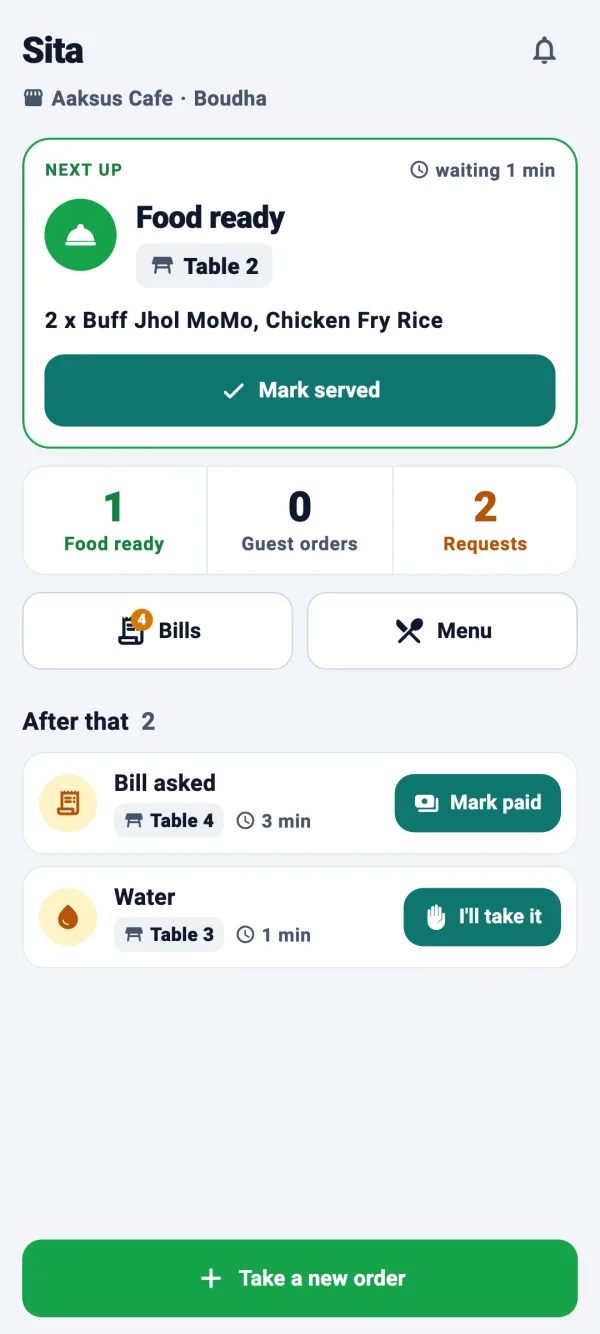
Reception and housekeeping see every request in one list and hear it on their phones. Accept it, and the guest sees someone is coming.
More about the Waiter calling system - Kitchen app
The hotel kitchen hears room orders
Food orders from rooms and restaurant tables land on the same kitchen board, read out loud, with a timer on every ticket.
More about the KOT system - Guest menu
A menu for guests from anywhere
The menu switches between English and नेपाली with one tap, with photos and veg and non-veg marks.
- Business dashboard
Roles for every team
Manager, reception, housekeeping, waiter, chef and cashier each see what their job needs, or make roles of your own.
- Business dashboard
Ready-made QR cards
Print a card for every room and table from the dashboard. A lost or copied code is replaced in one click.
One guest's evening
- 1
Towels, please
The guest in Room 204 scans the QR code in the room and asks for fresh towels.
- 2
Housekeeping hears it
The request is read out on the housekeeping phone. They accept it, and the guest's phone shows someone is coming.
- 3
Dinner to the room
Later the guest orders dal bhat to the room. The kitchen hears it like any other ticket, and the waiter hears when it's ready.
- 4
One bill for the room
Every order goes on Room 204's bill, and reception marks it paid by cash or QR.
Questions owners ask
Can I keep my booking software?
Yes. ServeFlow runs what happens during the stay: food orders, room service, housekeeping requests and the restaurant's bills. Your bookings and check-in stay where they are.
What can guests ask for from the room?
Room Service covers requests such as housekeeping, towels and water. Food Order opens the menu, so guests can order food to the room.
Does the hotel restaurant use the same system?
Yes. Restaurant tables get their own QR codes, and orders from rooms and tables reach the same kitchen board.
Which devices do my staff need?
Android phones for reception, housekeeping and waiters, an Android phone or tablet for the kitchen, and any browser for managers.
How much does it cost for a hotel?
It depends on how many branches, rooms, tables and staff you have. Request a demo and we'll give you a price for your hotel.
What you need
No special hardware and no installation visit.
Guests
Their own phone with a camera
Waiters and cashiers
An Android phone
Kitchen and bar
An Android phone or tablet
You
Any browser, on a laptop, tablet or phone
And an internet connection: Wi-Fi or mobile data. Weak signal? A tap never places the same order twice.
Up and running in four steps
- 1
We set up your business
Tell us your branches, tables and rooms on the demo call, and we create your account.
- 2
Add your menu
Dishes, prices and photos. Paste a photo straight in.
- 3
Print your QR codes
Ready-made cards for every table and room, from the dashboard.
- 4
Invite your team
Each person gets an email with a code, installs the app and joins.
ServeFlow across Nepal
We set up restaurants, cafés and hotels anywhere in Nepal over a call. See how ServeFlow fits your city.
- BhaktapurBhaktapur · Bagmati Province
- BiratnagarMorang · Koshi Province
- ButwalRupandehi · Lumbini Province
- ChitwanChitwan · Bagmati Province
- DharanSunsari · Koshi Province
- ItahariSunsari · Koshi Province
- JanakpurDhanusha · Madhesh Province
- JhapaJhapa · Koshi Province
- KathmanduKathmandu · Bagmati Province
- LalitpurLalitpur · Bagmati Province
- LumbiniRupandehi · Lumbini Province
- PokharaKaski · Gandaki Province
ServeFlow is also for
- RestaurantsQR ordering, a kitchen order screen and billing for dine-in.
- CafésA QR menu, orders heard at the counter and bills that split by phone.
- Bars & pubsDrinks to the bar's own screen, and every round on the table's bill.
- Resorts & homestaysFood and room service from a QR code in every room, cottage or garden table.
- Cloud kitchens & take-awayYour own ordering link for pickup and delivery, heard in the kitchen.
Request a demo
Tell us a little about your business. We'll call you back to find a time, then walk you through every screen and answer your questions.
What happens next
- 1
We call you back
To find a time that suits you.
- 2
A free demo
Every screen, for guests, waiters, the kitchen and you.
- 3
We set you up
If you like it, we create your account and help you add your menu.