
Jhapa · Koshi Province
Restaurant software in Jhapa
QR ordering, a kitchen screen and billing for restaurants, cafés and hotels in Jhapa.
From the busy bazaar of Birtamod to the border at Kakarbhitta, Jhapa's restaurants and hotels serve traders, travellers and families across the district. ServeFlow puts every order on one screen and every rupee on the right bill.
- Set up over a call, wherever you are
- Works on Android phones and any browser
- Menus in English and नेपाली
Eating out in Jhapa
Birtamod is the district's commercial and transport hub, Kakarbhitta is the crossing into India at the Mechi River, with hotels around its bus stand, and Bhadrapur, the district headquarters, has an airport.
More than a third of Nepal's tea gardens are in Jhapa, the Mechi Highway climbs from Charali to Ilam, and at Maghe Sankranti devotees from both sides of the border gather on the Kankai River.
- Business dashboard
Branches across the district
A restaurant in Birtamod and another in Damak? Each is a branch, and one login sees both. Managers see only their own.
- Kitchen app
Travellers served on time
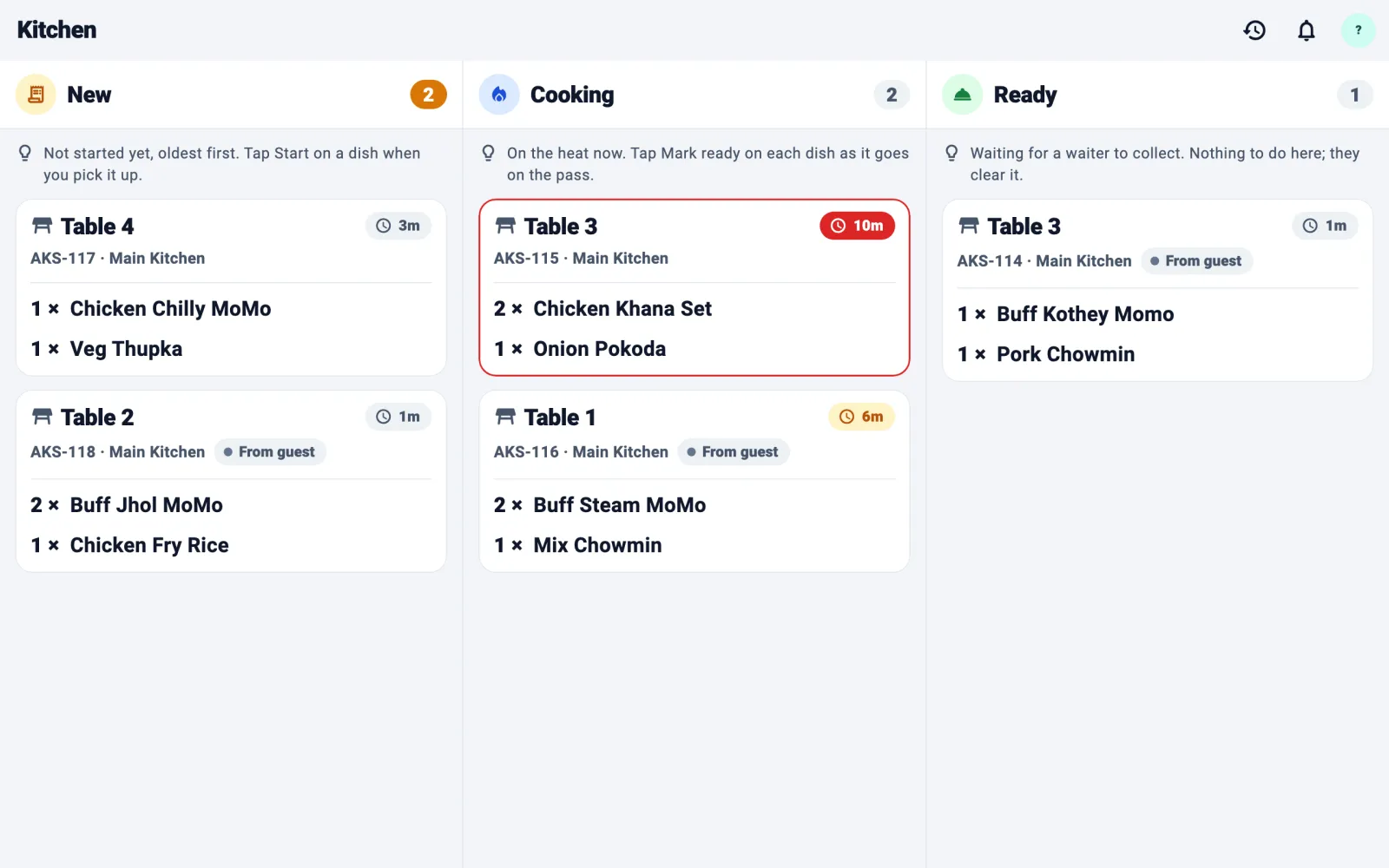
At the border, every order lands on the kitchen board with a timer, so travellers on a schedule eat on time.
- Business dashboard
Cash or QR, recorded
Every bill is marked paid by cash or QR, and the day book shows every rupee that came in, so closing adds up.
Four apps. One system.
Everyone gets the screen made for their job, and all four share the same live orders.
- For your guests
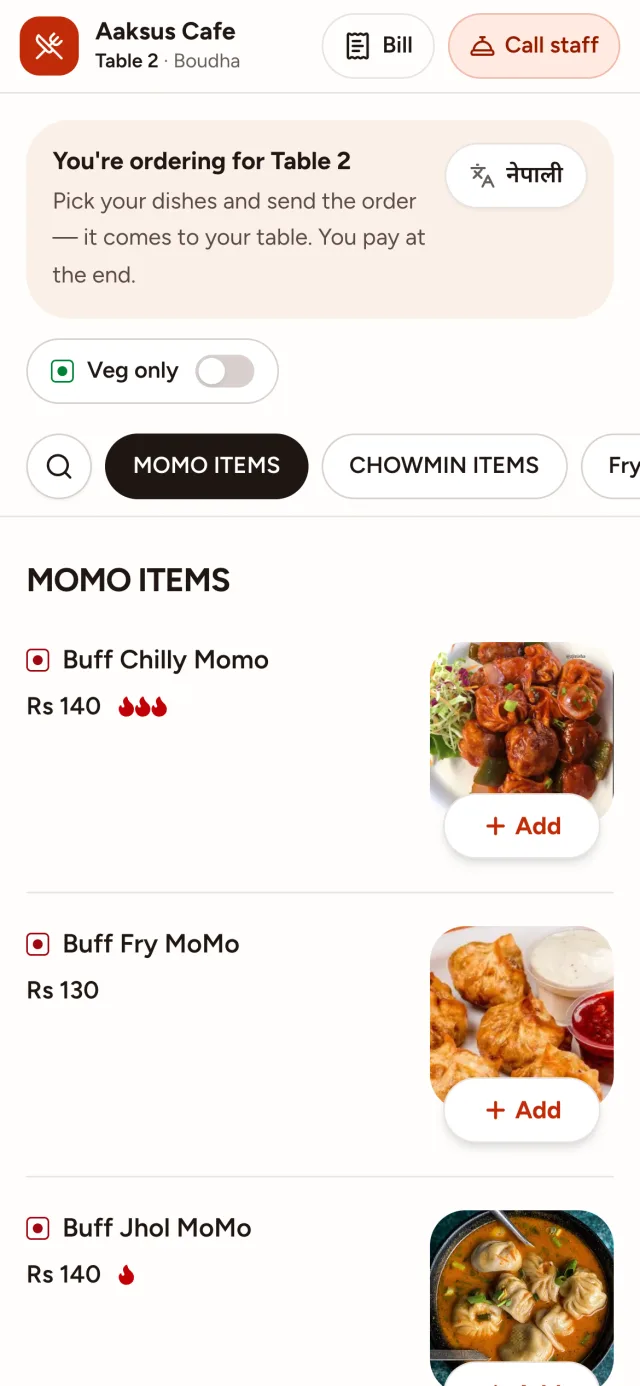
Guest menu
Any phone with a camera
Scan the table's QR code to see the menu, order, follow the order and ask for the bill. Nothing to install.
- For waiters, cashiers and reception
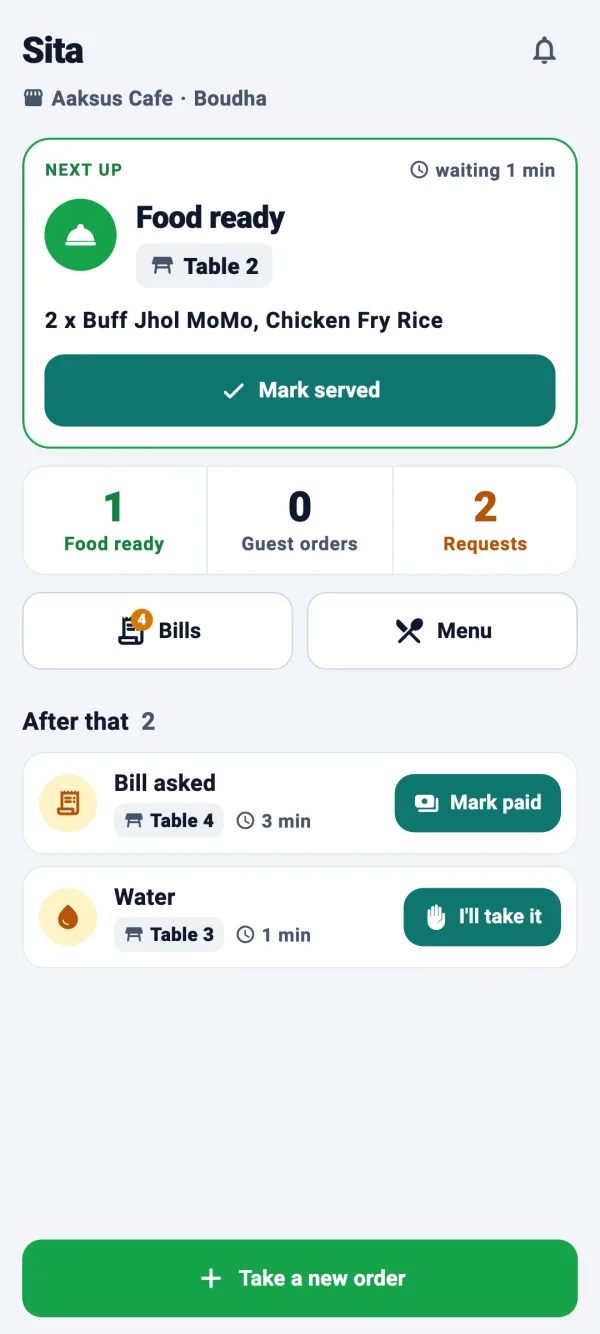
Staff app
Android phone
Tables, orders, guest requests and bills, on a phone that speaks up when someone needs something.
- For the kitchen and the bar
Kitchen app
Android phone or tablet
Every order on one board, read out loud, with a timer on each ticket.
- For you and your managers
Business dashboard
Any browser
Menu, tables, team, bills, credit and reports, with every branch in one place.
Questions from owners in Jhapa
Can I run branches in different towns in Jhapa?
Yes. Each branch has its own tables, rooms and team, and one login sees them all.
Can you set up my business in Jhapa?
Yes. Setup happens over a call: tell us your branches, tables and rooms on the demo, and we create your account. Then you add your menu, print your QR codes from the dashboard and invite your team. Nobody needs to visit.
Does it work on mobile data?
Yes. ServeFlow works on Wi-Fi or mobile data. If a tap can't get through, the app says so and lets you send it again, and the same order is never placed twice.
How much does restaurant software cost in Jhapa?
The price depends on how many branches, tables and staff you have, not on the city. Request a demo and we'll give you a price for your business.
What you need
No special hardware and no installation visit.
Guests
Their own phone with a camera
Waiters and cashiers
An Android phone
Kitchen and bar
An Android phone or tablet
You
Any browser, on a laptop, tablet or phone
And an internet connection: Wi-Fi or mobile data. Weak signal? A tap never places the same order twice.
Up and running in four steps
- 1
We set up your business
Tell us your branches, tables and rooms on the demo call, and we create your account.
- 2
Add your menu
Dishes, prices and photos. Paste a photo straight in.
- 3
Print your QR codes
Ready-made cards for every table and room, from the dashboard.
- 4
Invite your team
Each person gets an email with a code, installs the app and joins.
Wherever you are in Jhapa
Setup happens over a call, so it makes no difference which part of town you're in.
- Birtamod
- Mukti Chowk
- Damak
- Bhadrapur
- Kakarbhitta
- Charali
- Dhulabari
Request a demo
Tell us a little about your business. We'll call you back to find a time, then walk you through every screen and answer your questions.
What happens next
- 1
We call you back
To find a time that suits you.
- 2
A free demo
Every screen, for guests, waiters, the kitchen and you.
- 3
We set you up
If you like it, we create your account and help you add your menu.