KOT system for restaurants in Nepal
A KOT system that reads every order out loud
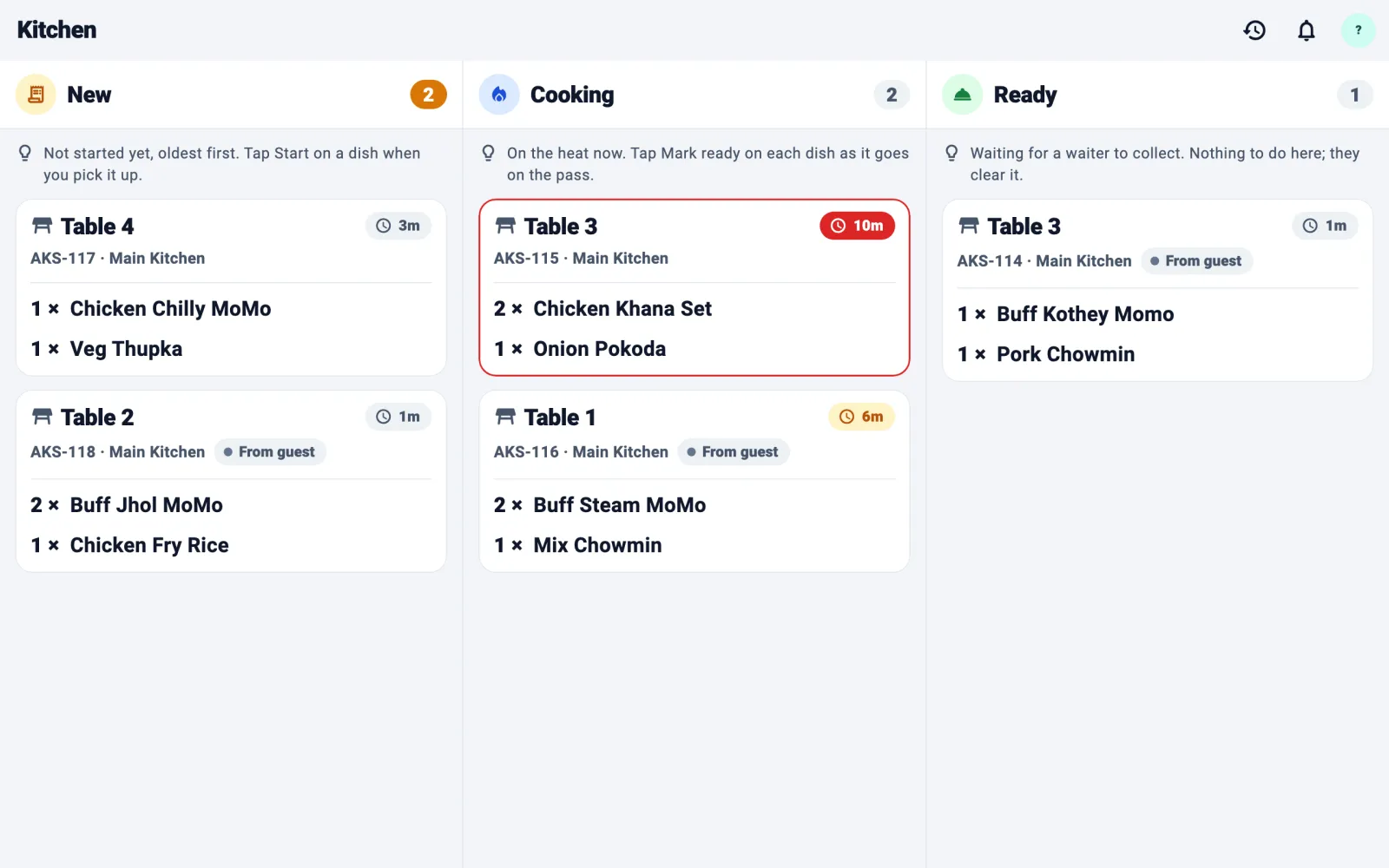
With ServeFlow, kitchen order tickets go from the table to a screen in your kitchen the moment the order is placed. The board reads each one out with the dish names, puts a timer on it, and tells the waiter when it's ready.
- No paper slips to write, carry or lose
- Runs on an Android phone or tablet
- Drinks to the bar, food to the kitchen
What is a KOT system?
KOT stands for kitchen order ticket: the slip that tells the kitchen what to cook, and for which table. In many restaurants a waiter still writes it by hand, carries it into the kitchen and keeps a copy for the counter, where the bill is added up later.
A KOT system does the same job on a screen. The order reaches the kitchen the instant it's placed, nobody has to read anyone's handwriting, and the same order goes onto the table's bill, so what was cooked and what is charged always match.
ServeFlow's kitchen board, also called a kitchen display, is an app on an Android phone or tablet. There is no printer to buy and no paper roll to run out.
How ServeFlow's KOT works
- 1
The order is placed
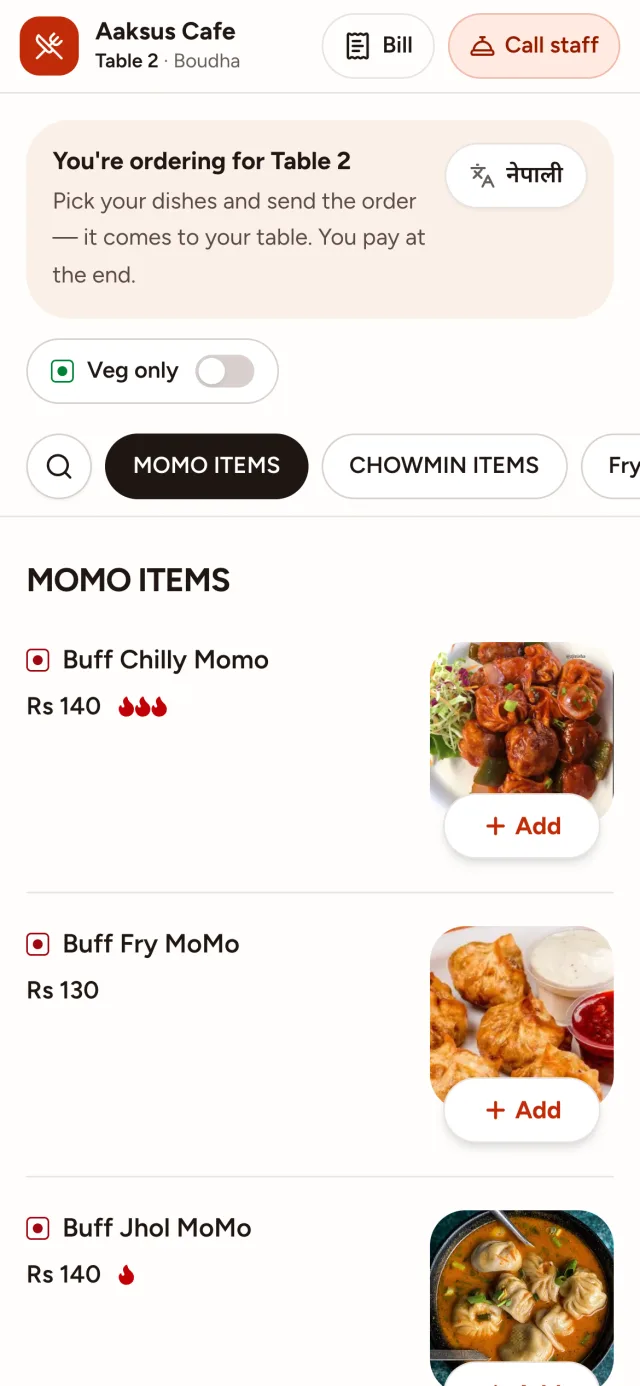
A guest orders from the QR code on the table, or a waiter takes the order in the Staff app.
- 2
The ticket appears and is read out
It shows on the kitchen board at once, with the table and the dishes, and the board says it out loud.
- 3
Start, then Ready
The cook taps Start when cooking begins and Ready when the plates are up. A timer shows how long each ticket has waited.
- 4
The waiter hears it
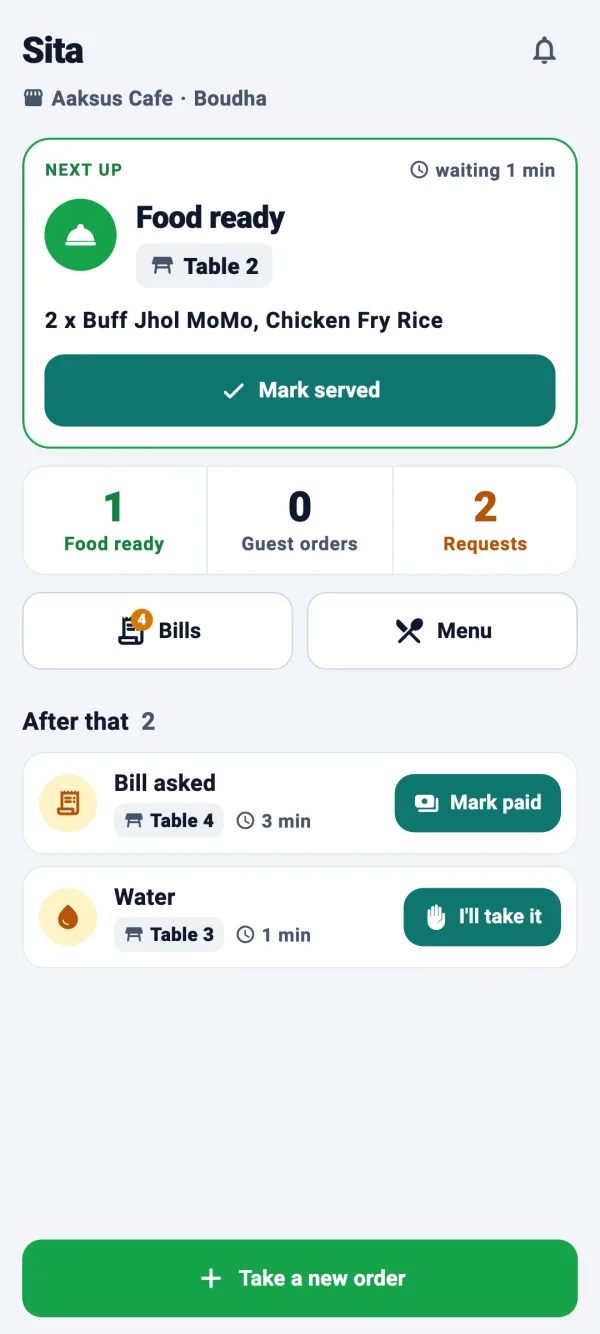
The waiter's phone says “Food ready, table 4” and shows what to carry, and the guest's phone shows the order is ready.
More than a ticket on a screen
Everything the kitchen needs to cook in the right order, and to tell everyone when something changes.
- Kitchen app
Read out loud
New tickets are read out with the dish names, even with the screen off, so the cook doesn't have to keep looking up.
- Kitchen app
A timer on every ticket
Each ticket shows how long it has waited, so the oldest goes out first and nothing is forgotten in a rush.
- Kitchen app
A board for every counter
Drinks go to the bar and food to the kitchen. Each counter gets only its own dishes, on its own board.
- Kitchen app
Ran out? Tap Problem
The dish comes off the bill, shows Sold out on the menu, and the waiter, the manager and the guest are told.
- Kitchen app
Changes, said out loud
When a guest changes an order before cooking starts, the board says so, and the kitchen never cooks the old one.
- Business dashboard
History and reports
Finished tickets are kept, and reports show your best-selling dishes and busiest hours.
Paper KOT or ServeFlow
| Where they differ | Paper KOT | ServeFlow |
|---|---|---|
| Getting the order to the kitchen | Paper KOTA waiter writes it and walks it over | ServeFlowOn the kitchen screen the moment it's placed |
| Reading it | Paper KOTHandwriting, often in a hurry | ServeFlowTyped dish names, read out loud |
| Which order came first | Paper KOTWhichever slip is on top | ServeFlowA timer on every ticket |
| Drinks and food | Paper KOTSeparate copies for the bar and the kitchen | ServeFlowEach counter gets only its own dishes |
| When a dish runs out | Paper KOTSomeone walks back to the table to say so | ServeFlowOne tap: off the bill, Sold out on the menu, everyone told |
| The bill | Paper KOTCopied again at the counter | ServeFlowAlready on the table's bill |
What you need
No special hardware and no installation visit.
Guests
Their own phone with a camera
Waiters and cashiers
An Android phone
Kitchen and bar
An Android phone or tablet
You
Any browser, on a laptop, tablet or phone
And an internet connection: Wi-Fi or mobile data. Weak signal? A tap never places the same order twice.
Up and running in four steps
- 1
We set up your business
Tell us your branches, tables and rooms on the demo call, and we create your account.
- 2
Add your menu
Dishes, prices and photos. Paste a photo straight in.
- 3
Print your QR codes
Ready-made cards for every table and room, from the dashboard.
- 4
Invite your team
Each person gets an email with a code, installs the app and joins.
Questions owners ask
What does KOT stand for?
Kitchen order ticket: the list of dishes the kitchen has to cook for one order, with the table it's for.
Do I need a KOT printer?
No. The tickets show on an Android phone or tablet in the kitchen and are read out loud, so there is no printer and no paper roll.
Which device does the kitchen need?
An Android phone or tablet. A tablet shows more tickets at once; a phone is enough for a small kitchen.
Can the bar and the kitchen get different tickets?
Yes. Each counter gets only its own dishes on its own board: drinks to the bar, food to the kitchen.
Do my waiters have to work differently?
Waiters take orders in the Staff app instead of on a pad, or guests order from the QR code. Either way the ticket reaches the kitchen without anyone walking it over.
What happens if the internet drops?
ServeFlow needs a connection: Wi-Fi or mobile data. If a tap can't get through, the app says so and lets you send it again, and the same order is never placed twice.
How much does a KOT system cost?
The price depends on how many branches, tables and staff you have. Request a demo and we'll give you a price for your restaurant.
See it for your business
ServeFlow is one system for the whole business. Read on for yours.
- RestaurantsQR ordering, a kitchen order screen and billing for dine-in.
- CafésA QR menu, orders heard at the counter and bills that split by phone.
- HotelsRoom service, housekeeping requests and the hotel restaurant in one system.
- Bars & pubsDrinks to the bar's own screen, and every round on the table's bill.
- Cloud kitchens & take-awayYour own ordering link for pickup and delivery, heard in the kitchen.
- QR menuA menu guests open from the QR code on the table, and order from.
- Waiter calling systemGuests call the waiter from their phone, and the waiter's phone says it out loud.
Request a demo
Tell us a little about your business. We'll call you back to find a time, then walk you through every screen and answer your questions.
What happens next
- 1
We call you back
To find a time that suits you.
- 2
A free demo
Every screen, for guests, waiters, the kitchen and you.
- 3
We set you up
If you like it, we create your account and help you add your menu.